Joe Wainer
Updated 3 months ago
Comprehensive Overview of KINGSOFT Office
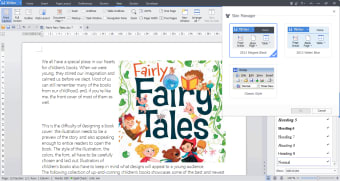
KINGSOFT Office is a trial version productivity suite designed for Windows users, offering essential tools for document creation, spreadsheet management, and presentation development. This software provides a user-friendly interface that facilitates seamless navigation between its core applications, making it suitable for both personal and professional use. Users can create, edit, and save documents in various formats, ensuring compatibility with other popular office applications.
Top Recommended Alternative
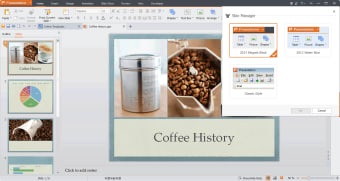
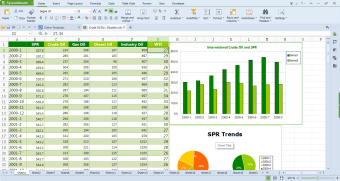
The suite includes a word processor, a spreadsheet program, and a presentation tool, each equipped with a set of features that cater to different productivity needs. With its trial version, users can explore the functionality of KINGSOFT Office before committing to a purchase, allowing for a risk-free evaluation of its capabilities. Overall, KINGSOFT Office aims to enhance productivity with its versatile tools and accessible design.
Joe Wainer
Joe Wainer is a content writer with a strong interest in technology and software. He enjoys exploring new apps, games, and tools, translating his findings into reviews that are clear and accessible. His background also includes coding projects, adding practical insight to his evaluations.
Kingsoft Office Suite Free 2013 includes word processor, spreadsheets and presentation.
The newly released Kingsoft Office Suite Free 2013 adopts a new, more modern interface that is even easier to navigate than its previous versions. The features you know and use are still there, along with new features that are huge time savers. There are three powerful applications included in Office 2013. Kingsoft's Writer, Spreadsheets and Presentation applications cater to your daily document producing, data analyzing and presentation needs. Not only does it have the basic functions that its peers provide, but it also has many outstanding features other software doesn't include, such as a professional PDF converter, an advanced paragraph adjustment tool and intuitive table operation. What’s new in the latest update? 1. Choose to install Writer, Spreadsheets or Presentation separately or all of them 2. Open XML documents and save as MHT/MHTML 3. Support inserting pictures from scanner 4. Support Solver function 5. Export shared workbook to XLS format 6. Support customizing shortcut for Macros And more newly added features. What are the key features of Office 2013? 1. Highly compatible with MS Office (97/2000/2003/2007/2010/2013) 2. Advanced paragraph adjustment tool 3. Humanized table operation 4. Multiple tabs on the interface 5. Create multiple hyperlinks at one time in Spreadsheets 6. Automatic spell check 7. Set encryption for your documents 8. Convert office documents to PDF format 9. Directly send files as an email attachment 10. Tons of FREE PPT templates Help & Support: You can contact us by email if you need help. Additionally, we offer frequently asked questions, tutorials a knowledge base and the user manual online.